Turbine-Thrust
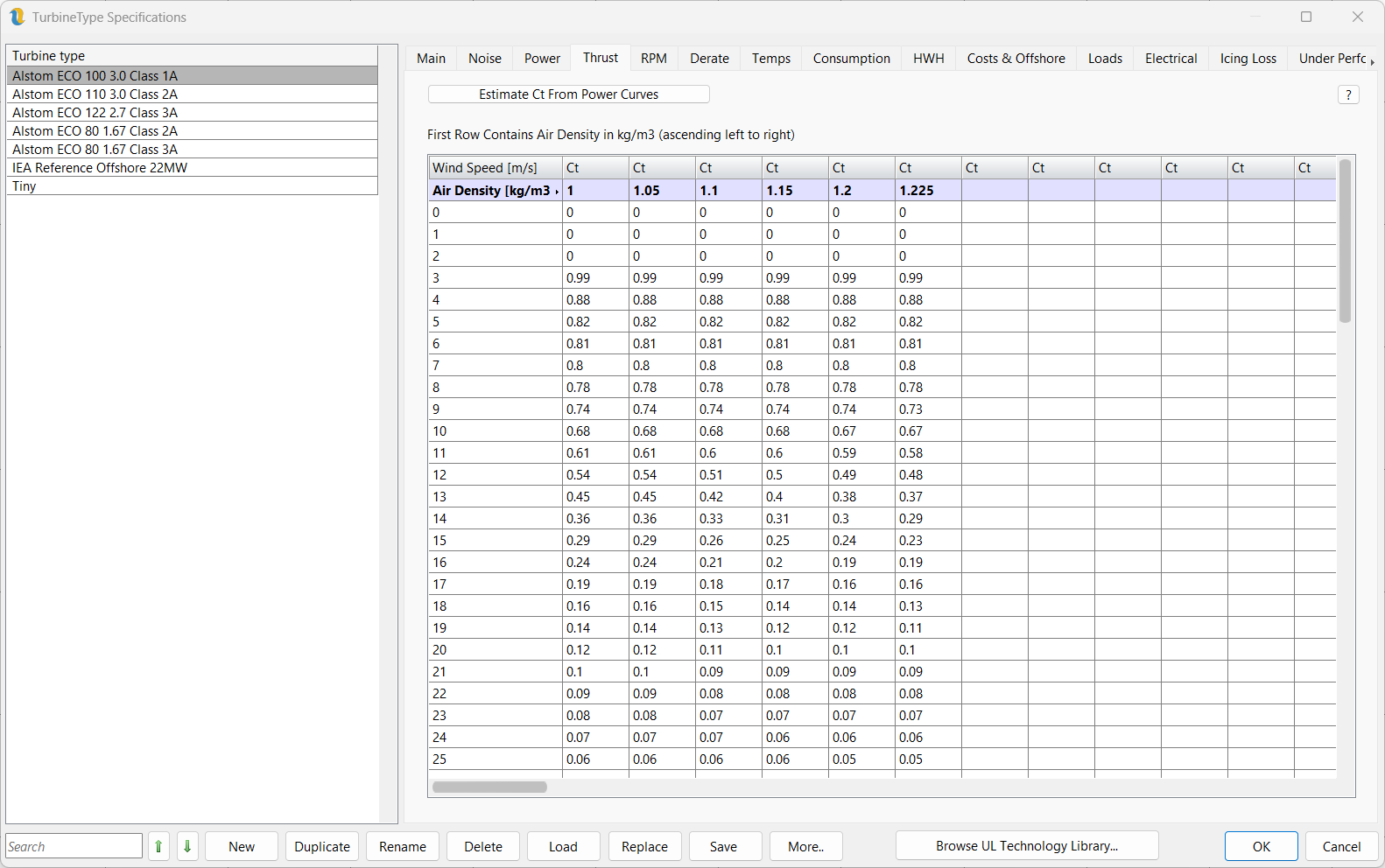
Figure 1: Turbine Type Thrust Curve Tab
The Thrust tab (figure 1) contains the thrust curve for the selected turbine type. Again, the user can specify this by using multiple thrust curves at varying air densities, allowing the energy capture routine to interpolate between the nearest two thrust curves to find the one appropriate to the air density found at each turbine. If the air density is outside the provided range then the thrust will default to the nearest Ct curve.
The button Estimate Ct From Power Curves - this function is intended to be used only for turbines for which real thrust coefficient (Ct) data is not available. It uses Ct = 4a(1-a) in conjunction with Cp = 4a(1-a)^2 and iterates to find a value for a. Below rated, a cap of 0.99 is imposed. Above rated, an additional 1.2 multiplier is used in order to get closer to published Ct values.